
Reading with macular degeneration often becomes easier when the tool is chosen for a specific task. Age-related macular degeneration, often called AMD, affects the central detail used for print, faces, labels, and close work. Magnification may help with a price tag, while a long letter may be more manageable with text-to-speech. The most useful plan usually combines remaining vision with better lighting, contrast, positioning, and audio access.
Tools cannot make the macula normal again, but they can make print larger, brighter, higher contrast, or easier to hear instead of see. Low vision care focuses on function. The question is not only what the eye chart shows. It is what the person wants to keep doing and which tool makes that task easier.
Why Reading Becomes Difficult
The National Eye Institute explains that AMD can blur central vision. Reading depends heavily on central vision because the eyes must see small letters and move smoothly across a line. When the center is blurred, distorted, or missing, the person may lose words, skip lines, or tire quickly.
AMD does not usually remove all sight. Peripheral vision often remains helpful for movement and awareness. Low vision strategies teach people to use remaining vision more effectively and to shift tasks to tools when vision alone is not enough.
Which Reading Changes Are Worth Trying First?
Start with inexpensive changes that improve illumination, contrast, print size, posture, or steadiness before choosing a specialized device.
- Use brighter, focused task lighting that does not shine into the eyes.
- Increase contrast with dark print on a light background.
- Try bold-tip pens for notes and labels.
- Reduce glare with matte surfaces and careful lamp placement.
- Use a reading stand to keep material steady.
- Choose larger print when available.
Lighting is personal. Some people need more light, while others are bothered by glare. A low vision visit can test lighting and magnification together instead of guessing.
Magnification Options
Handheld magnifiers can help with labels, menus, and short reading tasks. Stand magnifiers keep the lens at the correct distance from the page. Illuminated magnifiers add light. Strong reading glasses may help selected tasks but must be used at the correct working distance.
Electronic video magnifiers can enlarge text on a screen, adjust contrast, and let the user move through longer material. Tablets and e-readers can change font size, spacing, brightness, and contrast. For some people, electronic options are easier than optical magnifiers because they offer more control.
When Audio and Technology Are Better Than Print
Some tasks are more efficient when converted to sound. Audiobooks, screen readers, text-to-speech tools, voice assistants, and phone accessibility settings can reduce eye strain. Optical character recognition apps can read printed mail, labels, or instructions aloud.
This is not giving up on reading. It is choosing the method that preserves energy and accuracy. Many people use a mix of tools, such as magnification for short labels and audio for long books.
Low Vision Rehabilitation
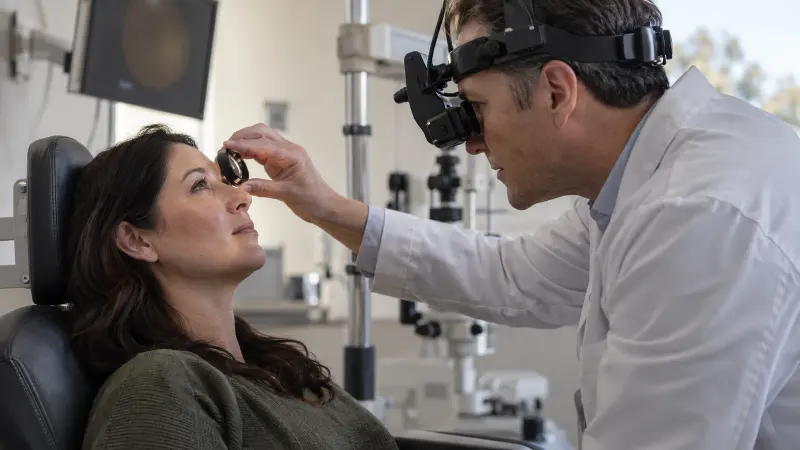
Low vision rehabilitation may include a low vision optometrist or ophthalmologist, occupational therapist, orientation and mobility specialist, and vision rehabilitation teacher. The visit focuses on daily tasks, not only diagnosis. Some programs assess whether a different viewing position helps a particular task, but formal eccentric-viewing training is not a routine answer for everyone with progressing AMD. The strategy should earn its place by improving the person's measured task performance.
Patients should bring the real tasks that matter, such as medication labels, mail, recipes, hobby materials, or a phone. Testing tools with actual tasks is more useful than choosing devices from a catalog.
The low vision resource library can help a family understand the range of rehabilitation topics before an appointment. A web guide cannot determine the required magnification or working distance, because those choices depend on the person's usable field, contrast, dexterity, posture, and reading goal.
Match the Tool to the Length and Setting of the Task
Tool choice becomes clearer when the reader separates quick identification from sustained reading. A pocket magnifier may be ideal for a thermostat but frustrating for a newspaper. A tablet can reflow text for a book but may create glare in bright surroundings.
| Task | Useful features to test | Common reason a tool fails | | --- | --- | --- | | Medicine or food label | Portable magnification, strong contrast, speech output | The viewing area is too small or the hand cannot hold it steady | | Mail, recipes, or forms | Reading stand, electronic enlargement, line guide | The reader loses place or tires from an awkward posture | | Books and long articles | Reflowable text, text-to-speech, comfortable screen settings | Magnification shows too few words at once | | Hobbies and household work | Task lighting, hands-free optics, organized workspace | The device was selected for print rather than the real activity |
Testing the exact task reveals whether the limiting factor is letter size, contrast, field of view, glare, stamina, or hand control. That information is more useful than buying a stronger device without a functional trial.
Symptoms That Need Prompt Retina Care
Reading difficulty that changes suddenly is not simply a rehabilitation problem and deserves prompt retinal assessment, especially with these warning signs.
1. New wavy or distorted lines 1. A new dark or blank spot in central vision 1. Sudden worsening in one eye 1. New difficulty recognizing faces 1. New flashes, many floaters, or a curtain-like shadow
These symptoms can suggest wet AMD, bleeding, retinal detachment, or another urgent retinal problem. Check one eye at a time because the better eye can hide changes in the other.
Questions to Ask About Reading Tools
Bring one or two real reading tasks to the visit and use these questions to compare practical options.
- Would optical or electronic magnification fit my reading goals better?
- What lighting setup works with my type of vision loss?
- Can I learn eccentric viewing?
- Which phone or tablet settings should I use?
- Should I have low vision rehabilitation?
Reading with macular degeneration often takes experimentation. The best tool is the one that works for the task, the setting, and the person's remaining vision. A low vision plan can turn scattered gadgets into a practical daily system.
Making Reading Less Tiring
Reading with AMD often fails because several small barriers stack together. The print is small, contrast is low, lighting creates glare, the page moves, and the reader loses place. Fixing only one barrier may not be enough. A low vision plan usually combines magnification, lighting, contrast, posture, and pacing.
- Use a line guide or bold bookmark to stay on the correct line.
- Try high-contrast settings on phones and tablets.
- Break long reading into shorter sessions.
- Use audio for long documents and magnification for short labels.
Family members can help by labeling household items in large dark print and keeping important papers organized. Independence often improves when the environment is easier to scan.
Medication safety is another practical reason to seek help early. People who cannot read labels clearly may benefit from large-print medication lists, talking prescription labels, pill organizers filled with help, or phone reminders. The goal is to reduce mistakes, not to test willpower. Bring real pill bottles or labels to the low vision visit if reading them is difficult.